
Samsung Electronics recently announced the official rollout of One UI 8 — introducing advanced multimodal AI capabilities, a UX optimized for different device form factors and personalized, proactive suggestions to make everyday life smarter and more convenient. Starting this week with the Galaxy S25 series, One UI 8 will also reach the Galaxy S24 series, Galaxy Z Fold6, Galaxy Z Flip6, Galaxy S24 FE and additional eligible models later this year.
Personalized AI with Advanced Security
Samsung is betting big on context-aware personalization, but it’s pairing it with stronger security so users can trust their devices.
- Now Bar: Shows live app activity and media playback on the Galaxy Z Flip’s FlexWindow with wider app support.
- Now Brief: Offers personalized daily updates such as reminders, traffic alerts, and Samsung Moments that highlight key parts of a user’s day.
- Knox Enhanced Encrypted Protection (KEEP): Creates encrypted storage per app to prevent data crossover.
- Knox Matrix: Logs devices out of accounts if threats are detected and sends alerts across the Galaxy ecosystem.
- Secure Wi-Fi with Post-Quantum Cryptography (PQC): Adds extra protection against evolving online threats, even on public networks.
Samsung’s aim is to make personalization feel helpful without making users worry about privacy.
Intelligent Multimodality: Smarter Interactions
At the heart of One UI 8 is multimodal AI, which combines visual, auditory, and contextual intelligence. Instead of jumping between apps, the phone can now assist directly within what’s on screen.
- Gemini Live: Acts as a real-time AI companion that understands what’s being viewed and provides seamless assistance.
- Circle to Search with Google: Lets users circle items during gameplay or browsing to instantly find guides, strategies, or more details.
- Instant On-Screen Translations: Displays translations directly as users scroll through content in different languages.
These features aim to make AI practical and integrated, not just flashy add-ons.
Optimized UX Across Devices
One UI 8 doesn’t just improve phones — it also enhances tablets and foldables, ensuring consistent experiences across devices.
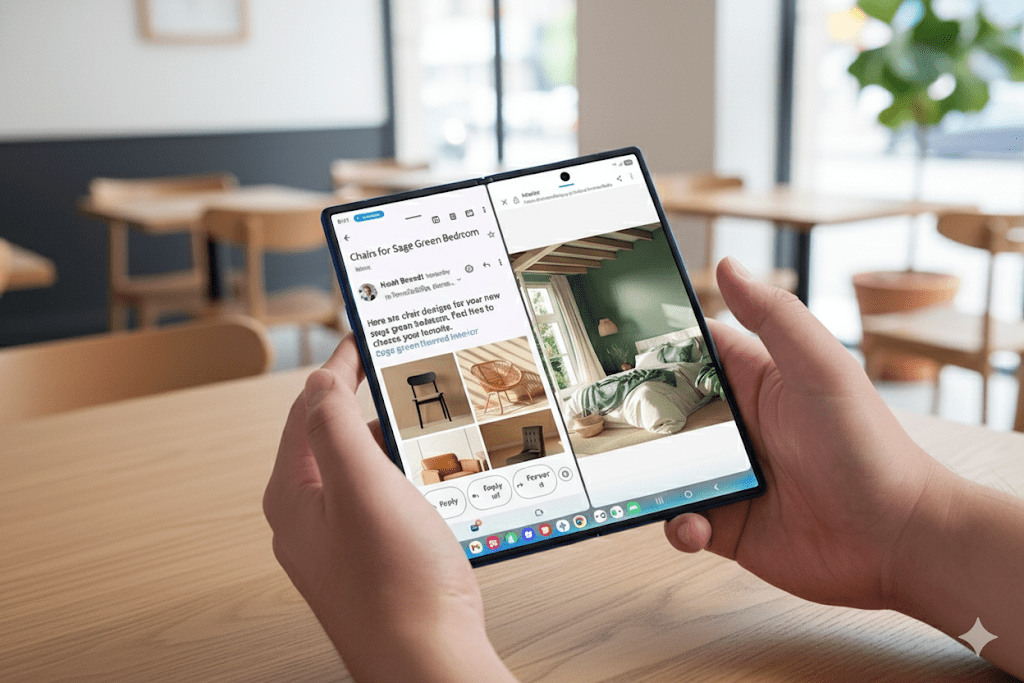
- AI Results View: Keeps AI-generated content in a split or floating window while preserving the original app.
- Multi Window Upgrades: Allows drag-and-drop of AI-created text or images directly into apps for faster workflows.
- Gemini Live on FlexWindow: Offers hands-free voice search from the Galaxy Flip’s cover display.
- Audio Eraser: Removes unwanted background noise like traffic or wind during calls or recordings.
- Adaptive Clock Designs: Fonts adjust to match wallpaper subjects, with full customization options.
- FlexWindow Customization: Brings curated wallpapers, emojis, and auto-generated designs from the Gallery.
Samsung is clearly positioning foldables as devices where AI can shine, making them useful for productivity and creativity.
Smaller Yet Useful Tools
Alongside the bigger updates, Samsung has added smaller features that could prove valuable:
- Portrait Studio: Creates stylized pet portraits.
- Call Captions: Converts speech into live text during phone calls.
- Interpreter (Keyboard Mode): Instantly translates typed messages in conversations.
Some of these additions are playful, while others may have real impact on accessibility and daily communication.
Why Samsung Is Pushing AI Now?
he timing of One UI 8 is no coincidence. Apple and Google have both set expectations that AI should be central to modern smartphones. Apple leans on its privacy-first narrative, while Google positions Pixel as the AI benchmark. Samsung’s approach appears to combine both: feature-heavy AI plus robust security measures.
At the same time, Samsung is also defending its territory in the premium phone market. With iPhone users often reluctant to switch ecosystems and Google appealing to AI enthusiasts, Samsung needs its Galaxy line to feel both powerful and future-ready. One UI 8 is a statement that the company won’t be left behind in the AI race.
Final Thoughts
One UI 8 is not about one standout feature — it’s about creating a smarter, AI-centered foundation for the future of Galaxy devices. Some features, like adaptive clocks and pet portraits, will be fun for casual users. Others, such as encrypted storage, instant translations, and AI-assisted multitasking, could become indispensable for productivity and communication.
What’s clear is that Samsung sees AI as central to the smartphone experience moving forward. The competition is no longer about screen brightness or processor speed; it’s about which ecosystem can deliver the most natural, useful, and secure AI experience.
On-device versus cloud routing in real policies
Galaxy AI features do not share one privacy profile. Some tasks stay on-device with sensitive data; others hit Samsung or partner clouds for heavier models. Corporate mobility teams need per-feature matrices—summarize email, translate call audio, generative edit photos—not a blanket "AI approved" checkbox.
Security reviews should ask where prompts are logged, retention periods, and whether users can disable cloud routes without breaking core OS features.
Carrier variance on patches and AI bundles
Samsung's multi-year OS promise helps resale value, but carrier-branded units may lag unlocked security patches by weeks. AI feature packs sometimes arrive as separate downloads tied to region or plan tier. IT buyers provisioning thousands of devices should standardize on SKUs with predictable update paths.
Document which AI capabilities require Samsung account sign-in and how that interacts with managed Google Workspace identities.
Gesture collisions between S Pen and Circle to Search
Power users muscle-memorized S Pen selection gestures can overlap new circle-to-search triggers, producing double captures or accidental searches. Teams rolling S25 fleets should pick one search gesture in training materials and disable the other via policy where Knox allows.
Field testers need a week of real note-taking, not only showroom demos.
Battery and thermal impact of always-on AI
Live translation, on-device summarization, and camera generative edits increase NPU and modem usage. Thermal throttling during summer navigation plus AI may clip performance sooner than spec-sheet standby times suggest. Road warriors should validate a full travel day before assuming Ultra battery headroom is infinite.
Ecosystem bets: Bixby, Gemini, and third-party agents
One UI 8 sits at a crossroads between Samsung services, Google Gemini integrations, and regional assistants. Feature availability differs by market; do not assume keynote demos match your country's build on day one. Developers building Knox-enabled apps should test AI permission prompts across profile modes.
Practical rollout advice for buyers
Unlocked firmware, explicit AI toggles documented for users, and a rollback plan if cloud features conflict with compliance—those beat chasing every launch toggle on day zero. Samsung's AI push is substantial; treating it as magic without policy is how helpdesks drown in privacy tickets.